C++ code to Read and print string of one dim array
C++ code to Read and print string of one dim array
In this tutorial, we will discuss the concept ofC++ code to Read and print string of one dim array
In this topic, we are going to learn how to read and print strings of a one dimensional array in C++ programming languageusing loops.
In this blog, We have already discuss that “What is an array“, type of arrays and how to access it
Arrays are the special type of variables to store Multiple type of values(int, string,char, etc)under the same name in the continuous memory location. we can be easily accessed using the indices(indexes)
one dim array
Here,
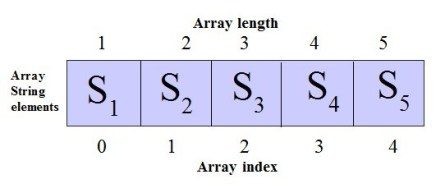
S1,S2,S3,S4 and S5 represent the elements of the array
0,1,2,3 and 4 represent the index of the array which is used to access the array elements
1,2,3,4 and 5 represent the length of the array
Code to read and print elements of one dim array
Read and print strings In an array
Program 1
#include
#include
using namespace std;
int main()
{
char str[20];
cout>str;
cout
When the above code is executed, it produces the following result
Enter your name:
Kamalakumar
You entered :
Kamalakumar
Program 2
#include
#include
using namespace std;
int main()
{
char str[20];
cout
When the above code is executed, it produces the following result
Enter your name:
Kamalan
Check your name:
Kamalan
Read and print strings In an array using for loop
In this program, we are briefing input strings of an array and then print them using for loop in C++ language
Program 3
#include
#include
using namespace std;
int main()
{
string str[20];
int len;
cout>len;
cout>str[i];
}
cout
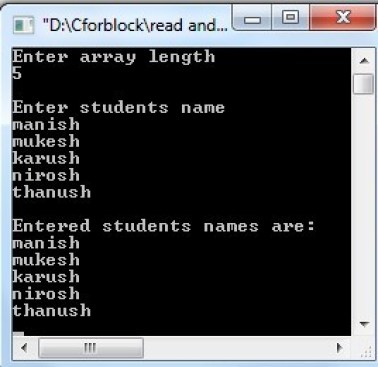
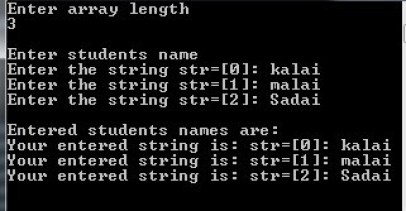
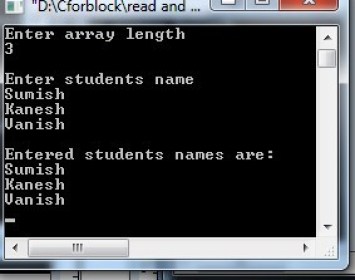
When the above code is executed, it produces the following result
Output
Program 4
#include
#include
using namespace std;
int main()
{
string str[20];
// one D array declaration
int len;//Declare variable for length
cout>len;
//Reading the input for length
cout>str[i];
}//Enter the students name using for loop
cout
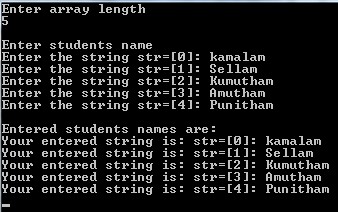
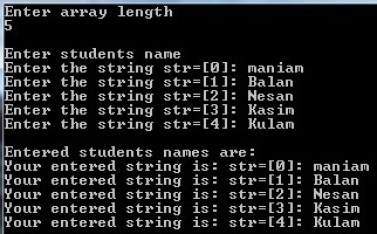
When the above code is executed, it produces the following result
Output
Read and print strings In an array using while loop
In this program, we are briefing input strings of an array and then print them using while loop in C++ language
Program 5
#include
#include
using namespace std;
int main()
{
string str[20];
int len;
cout>len;
cout>str[i];
i++;
}
cout
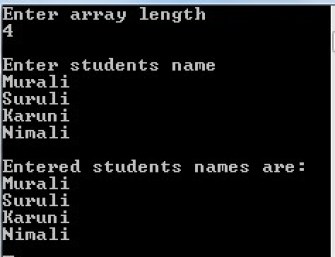
When the above code is executed, it produces the following result
Output
Program 6
#include
#include
using namespace std;
int main()
{
string str[20];
//String array declaration
int len;
//Variable declaration - integer
cout>len;
//Reading the array length
cout>str[i];
i++;
}//Enter the student name using while loop
cout
When the above code is executed, it produces the following result
Output
Read and print strings In an array using do-while loop
 Python program to add two number using function


